
Getting Spencer County Court Records
Begin with MyCase. It offers a free public view of the CCS. It also shows any document icons attached to entries. When the record is missing, old, or restricted at the document level, go to the Spencer County Clerk. The same goes for an official form. Visit the counter at 200 Main Street, Room 8, Rockport. The office lists P.O. Box 12, phone 812-649-6028, fax 812-649-6030, and email clerk@spencercounty.in.gov. Counters open weekdays from 8 a.m. to 4 p.m.
- Locate the case number and case style in MyCase or ask the Clerk to search permitted identifiers.
- Name the item: CCS, complaint, motion, order, judgment, transcript, exhibit, or another filing.
- Give the document or event date and state whether inspection, a plain copy, or a certified copy is needed.
- Choose in-person, mail, email, or another delivery route the Clerk confirms.
- Ask about access status, redaction, fee, and turnaround before sending payment.
Indiana's request instructions send local court files to the local clerk, and Spencer County posts no standard request form of its own.
Room 8 Records Counter
Room 8 is where the Clerk keeps county court records. The Record of Judgments and Orders and the CCS live there too. The judicial office, Spencer Circuit Court, sits in Room 15. Judges and staff there handle hearings and procedure, but records work flows through Room 8. One naming wrinkle is worth knowing. The current Clerk page gives Darrell Stephens. The statewide directory spells it Darrel, though, and lists a different final phone digit. Trust the current county page first. Verify if a call fails.
Spencer County Clerk
200 Main Street, Room 8
Rockport, IN 47635
P.O. Box 12, Rockport, IN 47635
812-649-6028
Monday through Friday, 8 a.m. to 4 p.m.
Courthouse security screening applies to everyone. Recording without written authority is restricted, so ask before photographing a court record or using a device at the counter.
Court Record Types
Think of the CCS as the index and the file as the substance behind it. Pleadings and judicial work live in that file. Public items can span complaints or petitions. Summonses, returns of service, answers, motions, and briefs appear too. So do orders, judgments, sentencing entries, plea agreements, settlements, dismissals, and transcripts. What you actually get depends on the case and the access rule. The MyCase access image shows a layered view. A public user, a party, and an attorney can each see a different layer of the same documents.
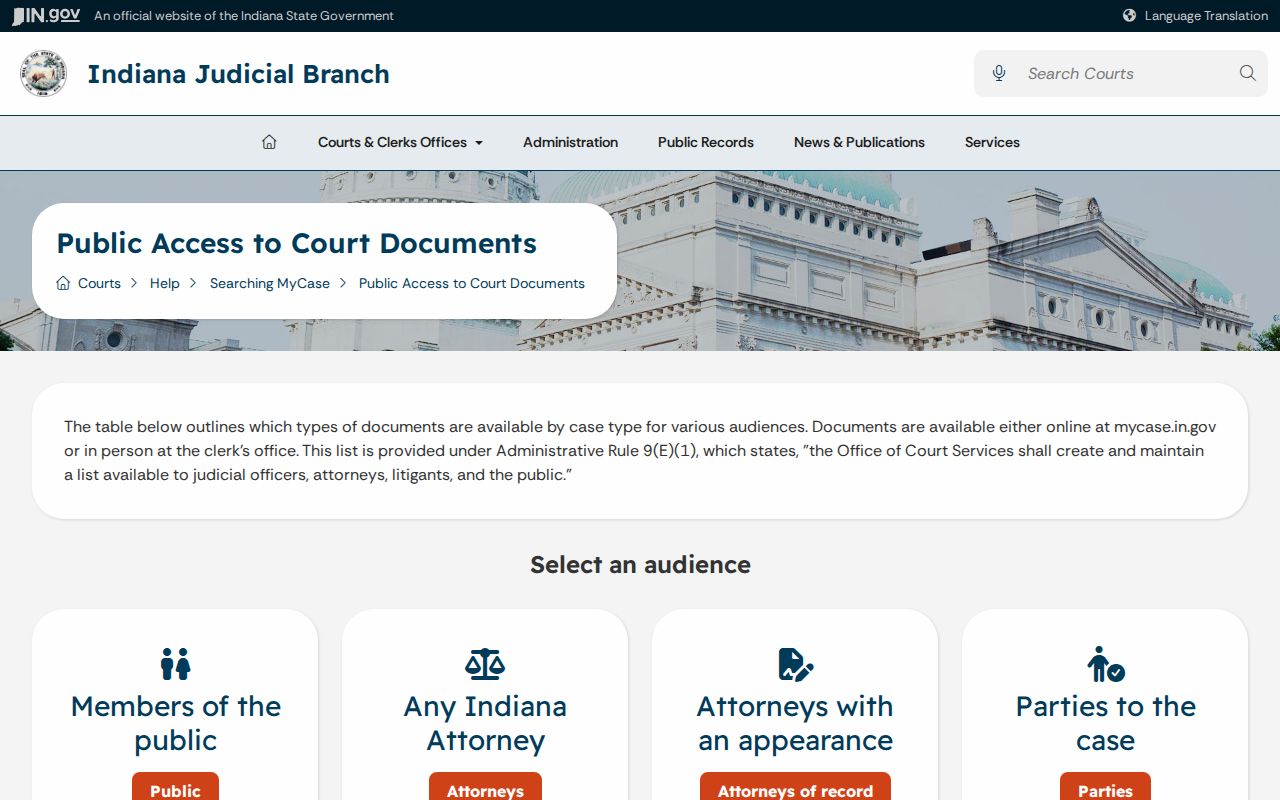
A missing download icon does not prove that the Clerk lacks a public copy.
Spencer Docket Event or Document
Each dated CCS event marks a procedural act. A document icon, when one appears, opens the filing or order tied to that act. The event text rarely matches the full document. Some details inside may be withheld from public access. Request the named filing itself, not a vague whole file.
| Item | What it does | Best route |
|---|---|---|
| CCS | Lists events in date order | MyCase or Clerk |
| Filing | Party's submitted complaint, motion, or response | Document icon or Clerk |
| Order or judgment | Records a court ruling | MyCase when public; certified Clerk copy if required |
| Transcript | Written court-reporter product | Court reporter or court request route |
E-filing is a submission channel. It is not a public records portal. An accepted envelope or receipt can become a CCS event, while a rejected filing never turns into one.
Inside a Spencer County Court Record
The official case-summary template lays out which fields a public result can expose, without borrowing a private party's example.
| Header | Case number, court, type, flags, filed date, status, and case style. |
|---|---|
| Parties | Names, roles, attorneys, and other public details when present. |
| Claims or charges | Case category, charge description, statute, degree, and modification. |
| Bonds | Posted date, type, amount, status, and status date when applicable. |
| Events | Date, description, hearing detail, result, and document links. |
| Financial | Clerk transactions and a balance with an online-data warning. |
| Outcome | Judgment, disposition, sentence, dismissal, or other closure. |
That field schema does not guarantee every field is public in every Spencer County record. Access rules and case facts control what opens.
Official Spencer Records Need the Clerk
MyCase states plainly that its online information is not the official court record. A certified copy carries the Clerk's formal certification. A plain copy does not. A record may be filed elsewhere. It may also serve an official purpose. Ask the receiving body what certification or authentication it requires. The MyCase terms image draws that boundary in the court's own words.
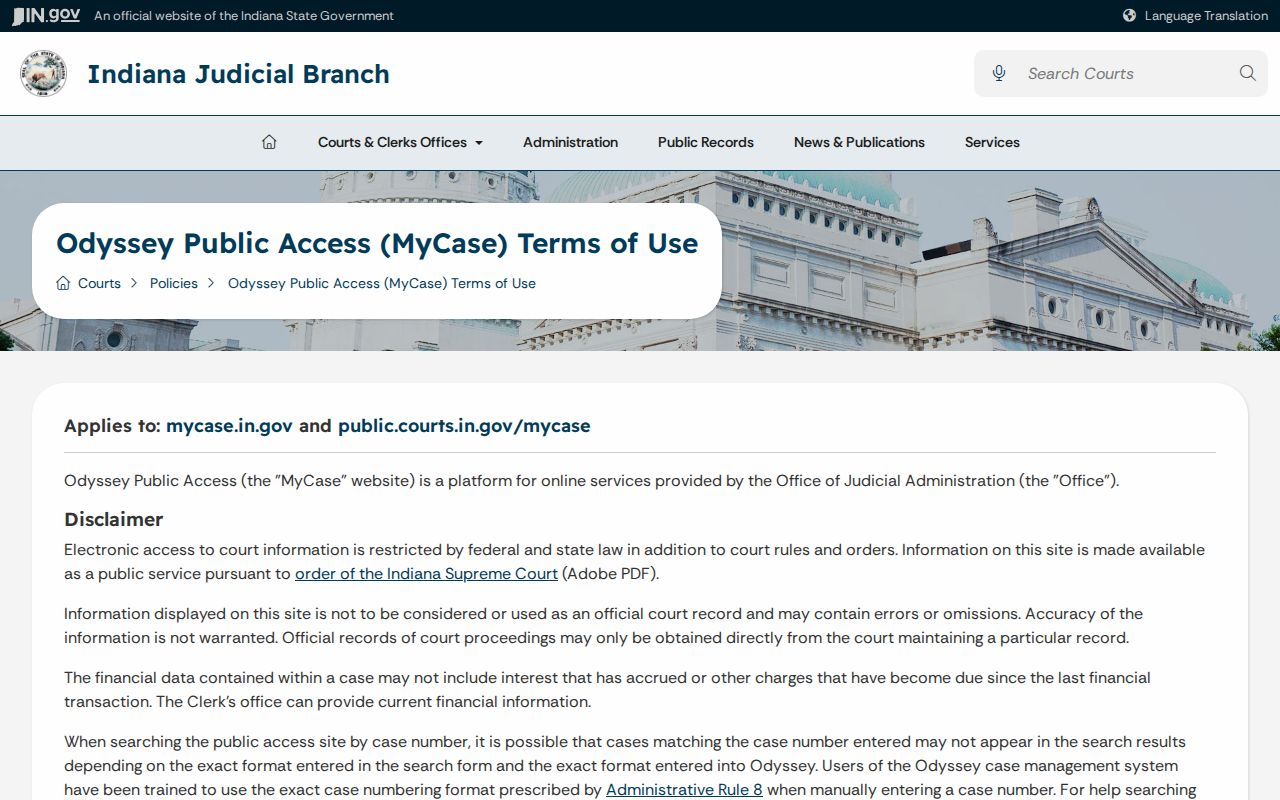
For research alone, inspection or an electronic plain copy may cost less. The Clerk must confirm which route applies.
Fees and Certified Copies
Spencer County publishes no all-purpose court-copy fee schedule. The local small-claims page quotes a $1-per-page copy fee, but that figure should not be stretched to every file. Before ordering, ask about page, mailing, electronic, certification, search, and supply charges.
| Record | Researched amount | Caution |
|---|---|---|
| Small-claims copy | $1 per page | Local small-claims statement only |
| Transcript | Up to $5 per page | Local reporter rule; headers can be $5.50 |
| Expedited transcript | Additional $2 per page | Confirm availability |
| Transcript exhibit or electronic copy | $2 per page | Reporter product |
| Transcript minimum | $35 | Binding and supplies may add cost |
| Certification | Confirm with Clerk | No universal amount found |
A transcript is separate from a MyCase PDF. Ask the court reporter about turnaround, exhibits, format, certification, and expedited service.
Spencer Request Details That Help
A focused request saves the clerk search time. Give the 74C01 case number, the exact case style, the record title, the event date, a date range, plain or certified status, delivery format, and contact information. Ask whether inspection is free and whether the item is public, redacted, confidential, sealed, or simply absent online. The official request-instructions image backs that specific approach.
Ask for an identifiable record. The Clerk will not research legal rights or interpret a case for you.
Sealed Records and Public Access
Indiana Access Rules presume court records are open. Rule 5 or another lawful restriction can exclude them. Restricted territory covers entire sealed cases, confidential filings, medical and mental-health material, Social Security and account data, protected victim or witness details, specified juvenile and family matters, and some problem-solving or pretrial supervision records.
Access Rule 5 controls confidential, sealed, redacted, and excluded court-record categories. A party agreement alone does not automatically seal a file.
The Access Rule image provides the current source.
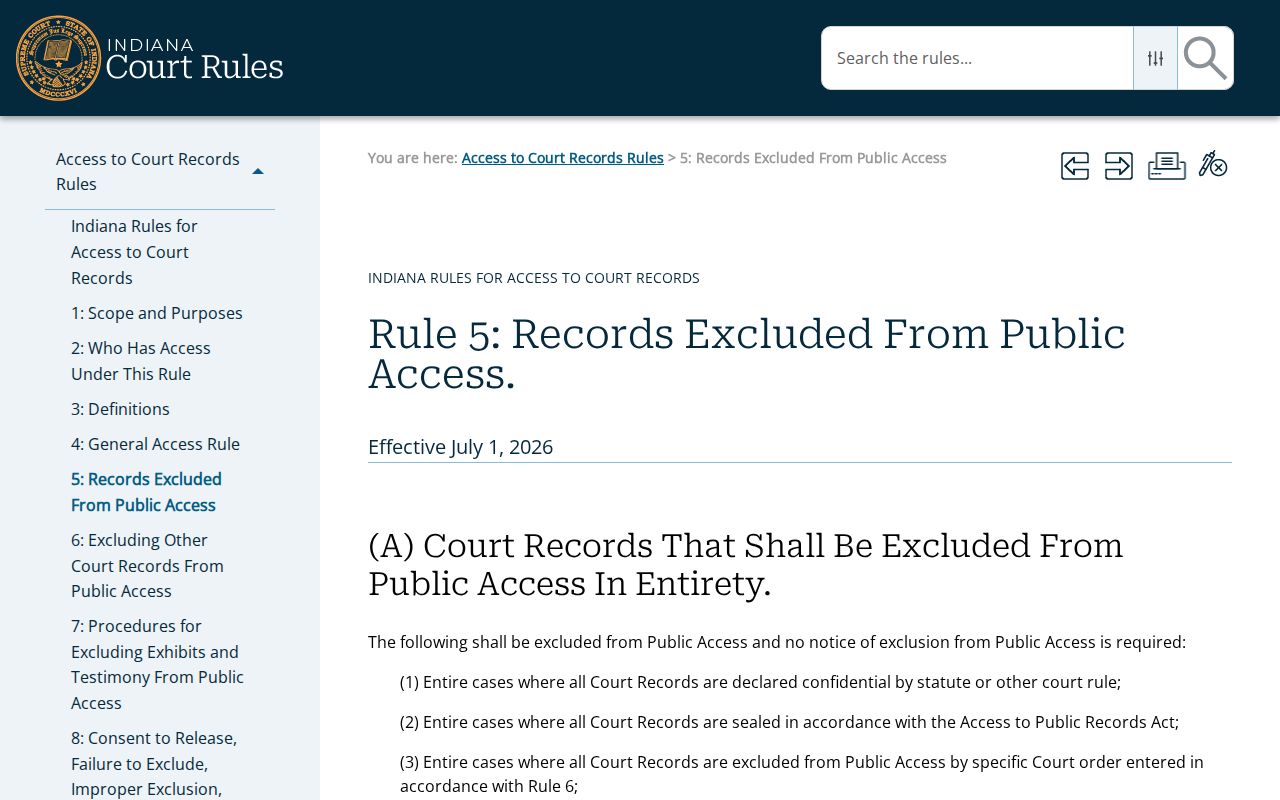
Indiana's Access to Public Records Act frames public agencies more broadly. It still does not make confidential judicial records public.
Recorder Records Are Separate
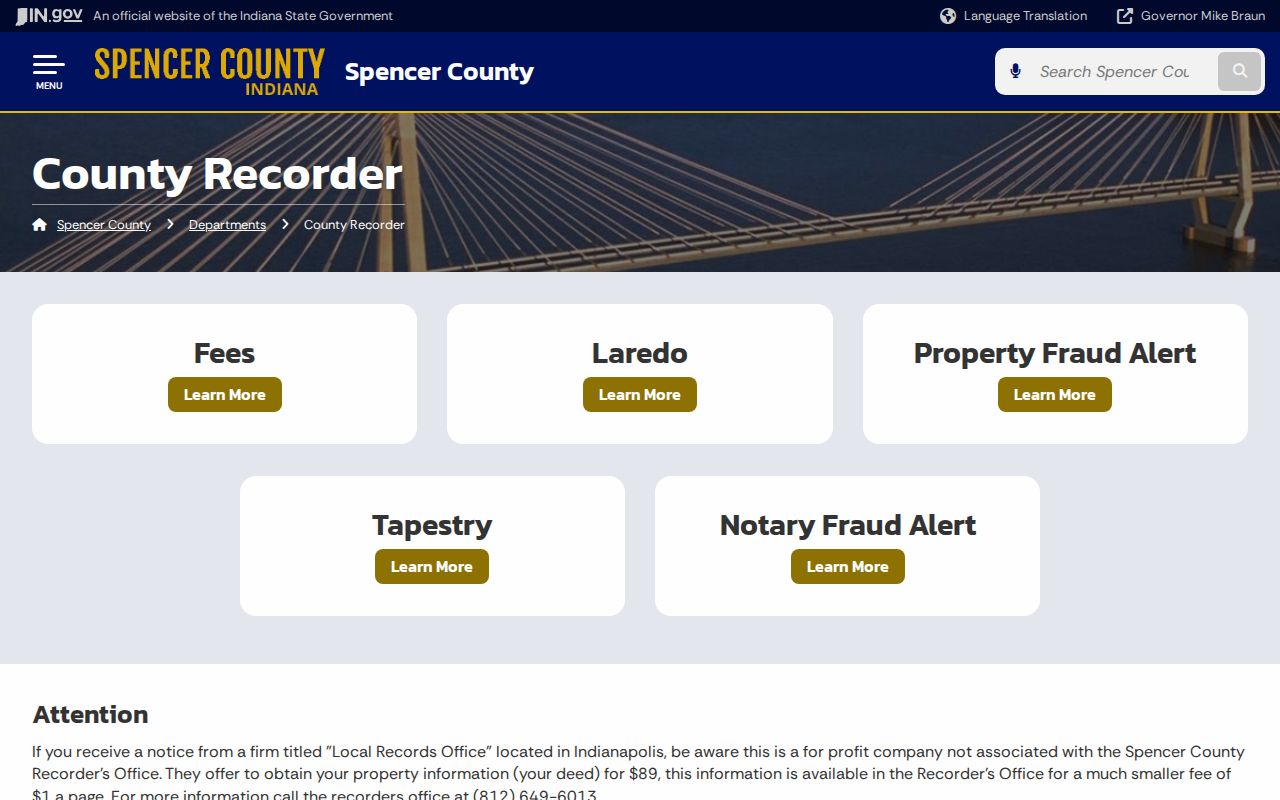
Land instruments and court orders affecting land go to the Spencer County Recorder. The Sheriff and police agencies hold law-enforcement files. The Clerk keeps the judicial case file. All three may describe one event. Yet each holds different records. The Recorder image points to the separate Room 9 destination.
Never send a CCS request to a land-record subscription service. A county ordinance is not a court filing, either.
Spencer County Record Boundaries
One event in Spencer County can leave a paper trail in several offices at once. Take a traffic stop. It may generate an agency citation, a court case, and BMV data. Each sits with a different office. A civil judgment can touch land. It may live in the court file and in property records too. Even a single hearing can produce a CCS event, an order, and a transcript. Name the exact record first. Decide before you head to a counter, or your request may land at the wrong one.
What you can see online varies inside one case. The header and CCS may be open while a filing shows no icon. Sometimes a redacted public version exists. The confidential version stays sealed. Extra access for parties or attorneys does not turn protected material into public material.
Mail requests should start with a question: which payments does the office take? For electronic delivery, state the format you need. If you inspect in person, confirm the hours. Ask whether notice helps staff pull an older file. Spencer County promises no turnaround, terminal, dropbox, or subscription on any official page. Keep the response, the case number, the copy status, and the receipt date.